


BNB Smart Chain Explained: BSC, BEP-20 & Wallets

BNB Smart Chain Explained: BSC, BEP-20 & Wallets
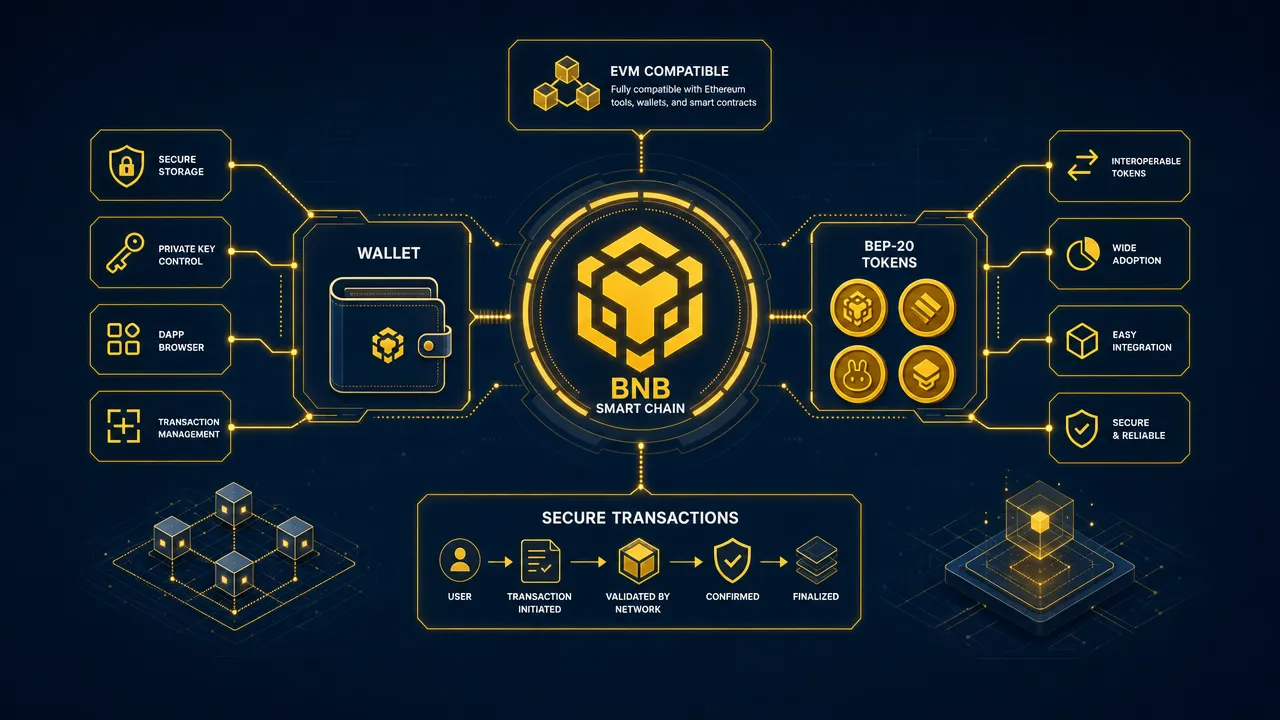
BNB Smart Chain (BSC) is the EVM-compatible smart-contract network within the BNB Chain ecosystem, and it's the network you need to hold and send BEP-20 tokens. It supports Ethereum Virtual Machine, or EVM, style transactions and applications, which means familiar 0x wallet addresses, token transfers, DApp connections, smart-contract approvals, and transaction signing.
The most important rule to remember is simple: BEP-20 tokens live on BNB Smart Chain, and you need BNB on BSC to pay the network fee for sending them or interacting with a contract. This BNB Smart Chain guide explains the terminology, safe wallet workflow, and what to consider before you sign.
What Is BNB Smart Chain and Why Is It Called BSC?
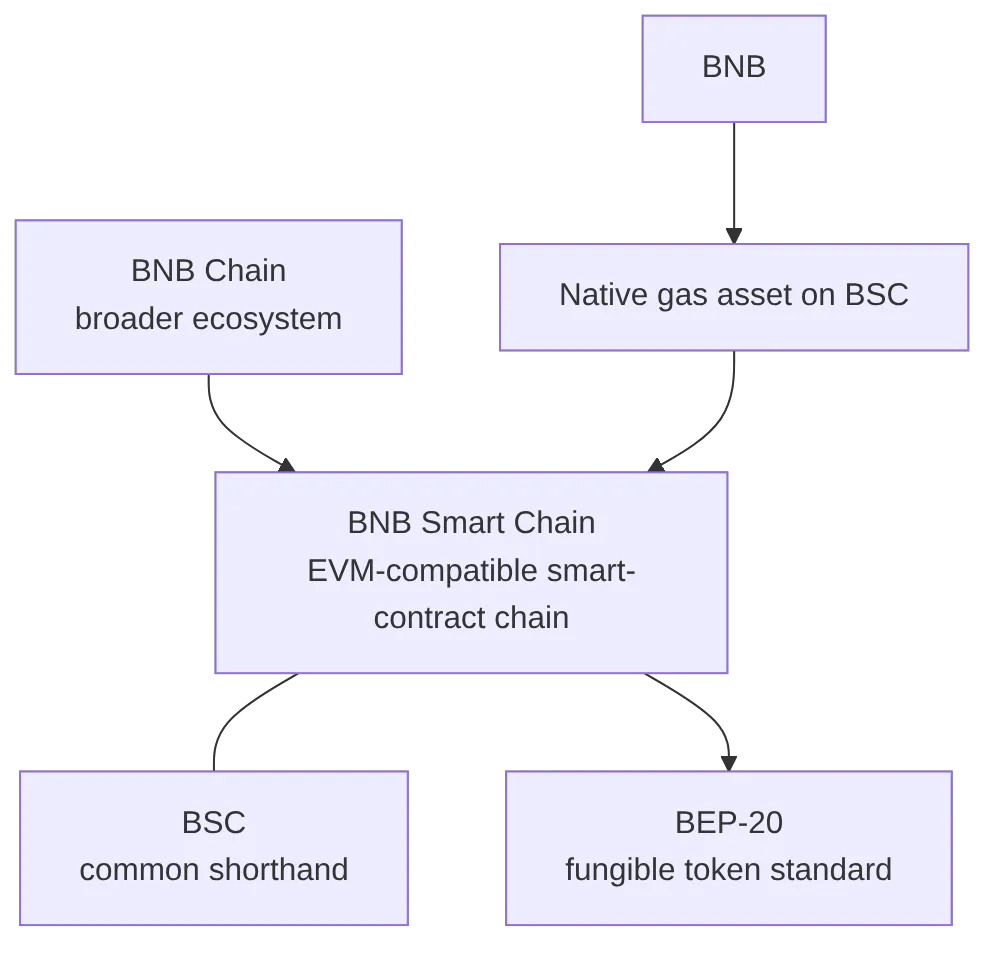
BNB Smart Chain is the EVM-compatible smart-contract chain within the broader BNB Chain ecosystem. In other words, it is the network where users can send BNB, manage BEP-20 tokens, and interact with compatible decentralised applications.
BSC is simply the common shorthand for BNB Smart Chain. The two terms generally refer to the same network in wallet interfaces, exchange withdrawal menus, and DApp connection prompts.
The terminology becomes clearer when separated into four parts:
| Term | What it means | What users should do |
|---|---|---|
| BNB Chain | The broader ecosystem and brand. | Treat it as the umbrella name. |
| BNB Smart Chain | The EVM-compatible smart-contract blockchain. | Select this network when the transaction requires BSC. |
| BSC | A widely used abbreviation for BNB Smart Chain. | Confirm the network details, not only the label. |
| BEP-20 | A fungible token standard used on BNB Smart Chain. | Verify the token contract and use BSC for transfers. |
| BNB | The native asset used to pay BSC network fees. | Keep enough BNB on BSC for gas. |
BEP-20 is not another name for BSC, and it is not a type of wallet. It is a token-contract standard derived from the ERC-20 model used on Ethereum. It supports familiar functions such as transfers, allowances, and approvals, as defined in the official BEP-20 specification.
EVM compatibility makes BNB Smart Chain feel familiar to people who have used Ethereum-compatible tools. However, BSC remains a separate blockchain with its own transaction history, chain configuration, fees, and token contracts. A token with the same ticker on Ethereum and BSC may look similar, but it can represent a different on-chain asset.
BEP-20 vs ERC-20 at a Glance
BEP-20's closest relative is ERC-20, the token standard used on Ethereum. The two share the same underlying approach to transfers and approvals, but they run on different networks and use different gas assets:
| BEP-20 | ERC-20 | |
|---|---|---|
| Network | BNB Smart Chain | Ethereum |
| Address style | 0x |
0x |
| Gas asset | BNB | ETH |
| Same balances across networks? | No | No |
A wrapped or bridged version of a token can exist on both standards at once, but each version has its own contract and its own balance. Sending a BEP-20 token to an address that only expects an ERC-20 version of the same asset can result in a loss of funds, even though the address format looks identical.
How BNB Smart Chain Transactions and BEP-20 Tokens Work
BNB Smart Chain transactions are processed through validators using Proof of Staked Authority, or PoSA, according to BNB Chain documentation. Validators process transactions and help secure the network. Network rules, validator structures, and finality conditions can change over time, so it is best not to rely on fixed confirmation-time promises.
For everyday use, the transaction process is more straightforward:
- Select BNB Smart Chain in your wallet.
- Choose BNB or a BEP-20 token.
- Enter the recipient address or connect to a DApp.
- Review the amount, destination, contract action, and fee.
- Sign the transaction.
- Wait for network confirmation.
- Check the transaction hash in a trusted block explorer if needed.
BNB Smart Chain gas fees are paid in BNB. This applies even when you are sending a stablecoin or another BEP-20 asset. For example, if your wallet contains only a BEP-20 token balance and no BNB on BSC, you may not be able to transfer that token because there is no BNB available to pay the network fee.
This is one of the most common issues for new BSC users. Before sending a token, confirm that:
- The token is on BNB Smart Chain.
- The recipient expects the asset on BSC.
- You have enough BNB on BSC for gas.
- The recipient address is correct.
- The token contract is the intended contract.
Official BNB Chain wallet configuration identifies BSC Mainnet with chain ID 56 and BNB as its native currency. These technical settings may change in presentation or provider recommendations, so use current official documentation if you need to configure a wallet manually.
A BEP-20 token works through a smart contract. Your wallet does not store the token inside the app. Instead, it manages the private keys that allow you to view and authorise changes to your on-chain balance.
This distinction matters when importing tokens. Adding a token manually tells the wallet interface which token contract to track and display. It does not prove that the token is legitimate, liquid, or safe. Always verify the full contract address through the issuer's official materials and a trusted explorer.
How to Use BNB Smart Chain Safely With BSC Wallets
BSC wallets should let users manage BNB and BEP-20 assets, sign transactions, connect to compatible DApps, and review token approvals. The quality of the user workflow matters because most on-chain actions are difficult or impossible to reverse after confirmation.
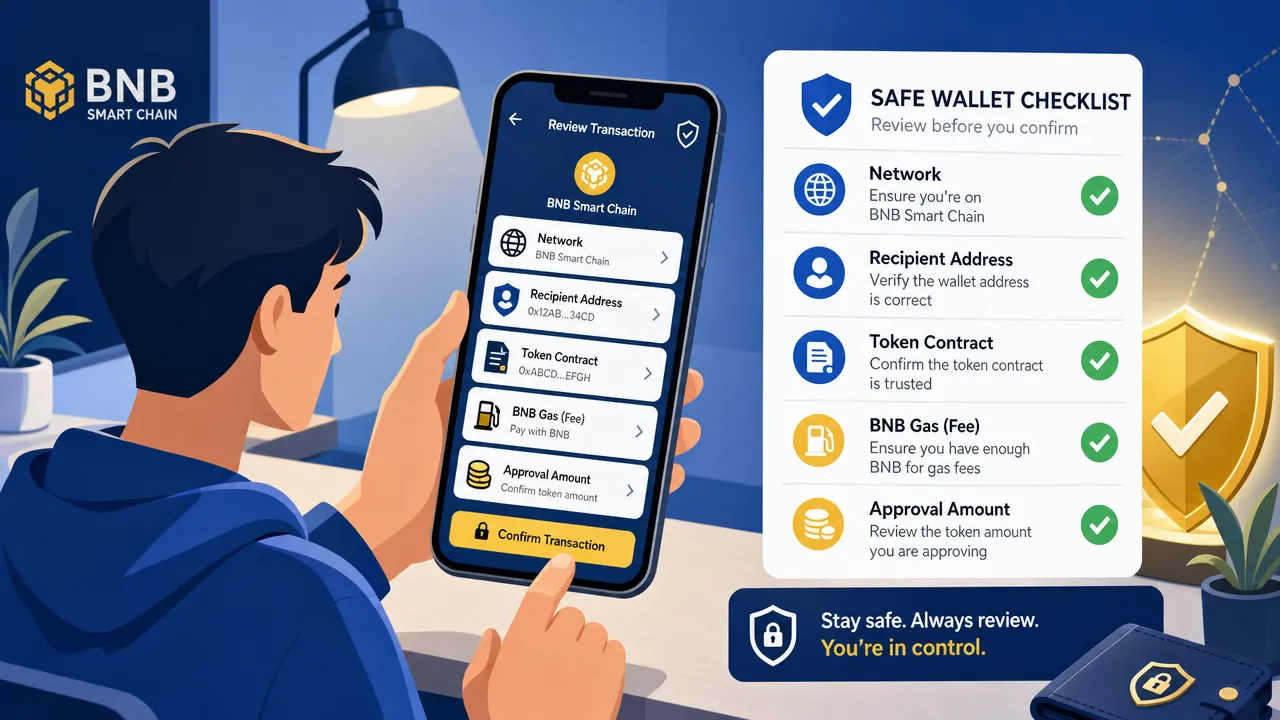
Use this checklist before receiving or sending BEP-20 tokens:
| Step | What to check | Why it matters |
|---|---|---|
| Network | Confirm BNB Smart Chain, BSC, or BEP-20 is the intended network. | A correct address on the wrong network can create recovery problems. |
| Address | Check the complete recipient address from a trusted source. | Copy-paste malware and address poisoning can redirect funds. |
| Token | Verify the full contract address, not only the name or logo. | Scam tokens can imitate popular assets. |
| Gas | Leave enough BNB on BSC. | BEP-20 transfers and approvals require BNB gas. |
| DApp domain | Use an official link or trusted bookmark. | Fake sites can request dangerous signatures or approvals. |
| Signature | Read the request before signing. | A signature can authorise more than a simple connection. |
| Approval | Review the token, spender contract, and allowance amount. | Broad allowances can create continuing exposure. |
Token approvals deserve particular attention. Using a decentralised exchange or another smart-contract service often means approving a contract to spend a specified amount of a token first — a separate step from completing the swap itself. An unlimited or very large approval can let that contract spend more later, up to the approved amount, so it's sensible to use limited approvals where practical and periodically manage token approvals you no longer need. Revoking an approval is itself an on-chain transaction and requires BNB for gas.
Never share a seed phrase or private key — no legitimate wallet provider, DApp, or support team needs your recovery words. Keep them offline and follow official FoxWallet security guidance before connecting to a new site or importing a token.
Choosing BNB Smart Chain Wallets for Self-Custody and Multi-Chain Use
There are two broad wallet models. A custodial service manages keys or key-management processes for the user. A non-custodial wallet gives the user control of the recovery phrase and private keys.
With a non-custodial wallet, users have direct control over their assets and can interact with DApps directly. That control also comes with responsibility. You must protect recovery credentials, secure your device, verify transaction details, and assess the risk of the applications you use.
For BNB Smart Chain users who manage assets across several networks, a multi-chain wallet can reduce operational complexity. A unified view can make it easier to see balances across supported chains and distinguish between versions of assets that share a ticker but exist on different networks.
FoxWallet is a non-custodial multi-chain wallet designed for users who want to retain control of their private keys while managing supported assets across networks. On mobile, FoxWallet supports BNB Smart Chain (BSC) and BEP-20 assets, along with DApp connectivity, token-approval management, and transaction-risk prompts.
FoxWallet mobile also supports BNB Chain swaps through 1inch and BNB Chain bridge functionality through LI.FI. These are separate tools with separate risk considerations:
- A swap exchanges assets according to the route and terms shown before confirmation.
- A bridge or cross-chain route moves or exchanges assets between networks.
- Both can involve smart-contract, fee, price-impact, token-representation, and destination-network risks.
- Neither activity should be confused with staking, which is a separate activity with different mechanics and risks.
For desktop workflows, FoxWallet's browser extension supports EVM networks and basic wallet actions. However, it does not have full feature parity with the mobile application. Swap, bridge, and staking are not supported in the browser extension.
Users who want a broader overview of wallet ownership models can read FoxWallet's guide to non-custodial wallet security. For users managing several chains, secure multi-chain wallet management offers additional context on keeping assets organised without giving up self-custody.
BNB Smart Chain Use Cases and Risk-Aware DApp Access
BNB Smart Chain supports a broad range of DApp categories. Common activities include token transfers, decentralised exchange swaps, lending and borrowing, NFT actions, gaming interactions, and cross-chain asset management.
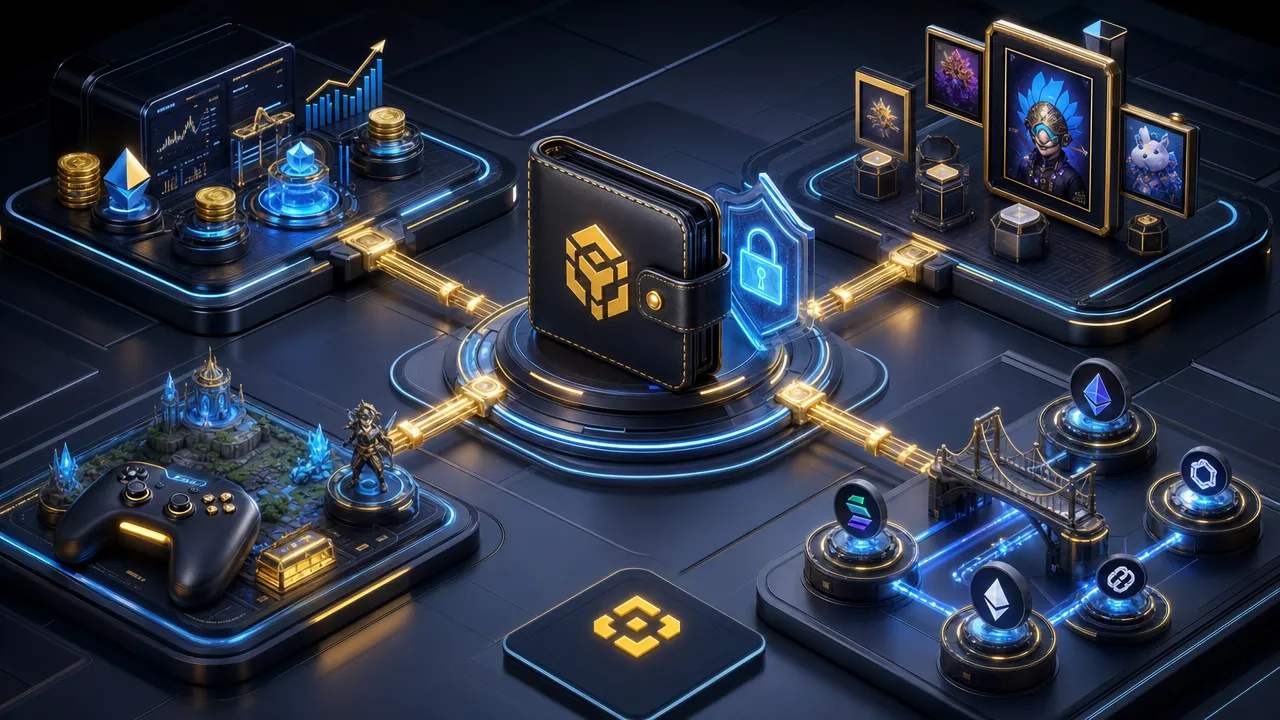
Each activity introduces its own risks:
| Activity | Typical action | Key review points |
|---|---|---|
| Token transfers | Send BNB or BEP-20 tokens. | Network, recipient address, token contract, BNB gas balance. |
| DeFi swaps | Exchange one token for another. | Token authenticity, route, fees, price impact, approvals. |
| Lending and borrowing | Supply assets or borrow against collateral. | Liquidation risk, changing rates, asset volatility, protocol risk. |
| NFTs | Mint, transfer, buy, or list an NFT. | Collection authenticity, marketplace approval, phishing risks. |
| Gaming | Connect a wallet and sign game-related actions. | Official domain, contract permissions, speculative asset exposure. |
| Cross-chain activity | Move or exchange assets between networks. | Destination chain, fees, route details, wrapped-asset and bridge risk. |
A wallet connection by itself doesn't move funds, but a follow-up signature, approval, or contract call can — treat each prompt as its own decision. Start from a project's official documentation rather than a sponsored result or unsolicited link, and confirm the domain carefully before connecting.
For additional education about DeFi research and safer interaction habits, see FoxWallet's overview of BNB Chain DeFi apps. A DApp appearing in a wallet browser or search result is not a guarantee of legitimacy, safety, or suitability.
BNB Smart Chain FAQs and a Safe First Transaction Plan
Is BNB Smart Chain the same as BSC?
Yes. BSC is the common abbreviation for BNB Smart Chain.
Is BNB Smart Chain the same as BNB Chain?
Not exactly. BNB Chain is the broader ecosystem name, while BNB Smart Chain is the EVM-compatible smart-contract chain within that ecosystem.
What does BEP-20 mean?
BEP-20 is a fungible token standard used on BNB Smart Chain. It is based on ERC-20-style concepts, including transfers, approvals, and allowances.
Do I need BNB to send BEP-20 tokens?
Yes. BNB Smart Chain gas fees are paid in BNB, including fees for BEP-20 transfers and token-approval transactions.
Can I send a BEP-20 token to an Ethereum address?
The address format may look the same, but the destination must support BSC and expect that token on BNB Smart Chain. Always confirm the network with the recipient before sending.
What is the safest first BNB Smart Chain transaction workflow?
Start small. Set up your self-custody wallet from official channels, back up your recovery phrase offline, select BSC, and confirm that you have BNB for gas. Then send a small test amount to a verified address. Review the transaction hash on a trusted explorer, and only then consider sending a larger amount.
FoxWallet can help users manage supported BNB Smart Chain and BEP-20 assets in a multi-chain self-custody environment. Use the official FoxWallet Help Center for product guidance, keep your recovery credentials private, and review every network, contract, approval, and transaction before signing.
Want to manage BSC and BEP-20 assets in a self-custody wallet? Explore FoxWallet and set up your wallet through the official download page.
